
Patient tracking software comparison on 24 criteria
There is no single right patient tracking program; there is one that is right for your clinic. This page sorts programs not by brand but into four approaches and sets them side by side on 24 criteria: paper and Excel, a desktop program, a general-purpose cloud system and HekimBis. No vendor is named; the aim is to give you a framework whose rows you can fill in for your own clinic.

Four approaches
Paper and Excel
Patient files are kept on paper, appointments in a book or in a spreadsheet. The starting cost is low and flexibility is complete. Points to watch: records are fragmented and leave no trail, conflicts arise when a second person joins, and KVKK and backup are left to the practice. It works for one person and few patients; as the team grows it can become the most expensive method.
Desktop program
A program installed on a computer, often using a local database. Its strength is independence from a connection and simple setup. Points to watch: backup, security updates, remote access, a second branch and mobile are usually left to the user.
General-purpose cloud system
Browser-based appointment, record and cash desk software that suits most specialties. Its strength is an easy start. Points to watch: specialty depth, device connection, multi-branch and mandatory reporting vary widely by product; ask what is really behind a claim of being specific to your specialty.
HekimBis
A cloud system that brings multi-specialty clinical depth, device and diagnostic connections, CRM from lead to payment and multi-branch management into one product. It is designed for facilities that provide outpatient care, from a practice to a multi-branch clinic and a small diagnostic center.
In the table below the first column describes the typical behavior of paper, Excel and desktop programs; each row has a share that varies by product, and it is not a claim about any particular product. Because every row varies by product in general-purpose cloud systems, ask those products the same rows separately when you evaluate them. The second column shows the scope of HekimBis.
24 criteria
Records and clinical flow
| Criterion | Paper, Excel and desktop programs | HekimBis |
|---|---|---|
| Installation | Not needed for Excel; a desktop program is installed on every computer and often on a server computer | Nothing to install; a browser is enough |
| Access and mobile | From the computer in the clinic | From a browser and the mobile app, by role permission |
| Patient file | Fragmented between paper and a sheet; varies by module on the desktop | One identity and a Patient 360 timeline |
| Appointments and reminders | By hand with a book and phone; a calendar on the desktop, reminders depend on the product | Calendar of physicians, rooms and devices, waiting list, SMS, e-mail and WhatsApp reminders |
| Online booking and patient portal | Usually absent | A patient portal branded for the clinic, with an explicit publication model |
| Record integrity | Records can be changed and leave no trail | Signature and lock; corrections made as additional records with a reason |
| Specialty depth | Free notes or a single specialty | 34 definitions in 13 families; specialty pack, widgets and consent templates |
| Test and result flow | Tracked by hand | From order to result, critical result acknowledgment, explicit publication to the patient |
Installation
- Paper, Excel and desktop programs
- Not needed for Excel; a desktop program is installed on every computer and often on a server computer
- HekimBis
- Nothing to install; a browser is enough
Access and mobile
- Paper, Excel and desktop programs
- From the computer in the clinic
- HekimBis
- From a browser and the mobile app, by role permission
Patient file
- Paper, Excel and desktop programs
- Fragmented between paper and a sheet; varies by module on the desktop
- HekimBis
- One identity and a Patient 360 timeline
Appointments and reminders
- Paper, Excel and desktop programs
- By hand with a book and phone; a calendar on the desktop, reminders depend on the product
- HekimBis
- Calendar of physicians, rooms and devices, waiting list, SMS, e-mail and WhatsApp reminders
Online booking and patient portal
- Paper, Excel and desktop programs
- Usually absent
- HekimBis
- A patient portal branded for the clinic, with an explicit publication model
Record integrity
- Paper, Excel and desktop programs
- Records can be changed and leave no trail
- HekimBis
- Signature and lock; corrections made as additional records with a reason
Specialty depth
- Paper, Excel and desktop programs
- Free notes or a single specialty
- HekimBis
- 34 definitions in 13 families; specialty pack, widgets and consent templates
Test and result flow
- Paper, Excel and desktop programs
- Tracked by hand
- HekimBis
- From order to result, critical result acknowledgment, explicit publication to the patient
Connections and compliance
| Criterion | Paper, Excel and desktop programs | HekimBis |
|---|---|---|
| Device connection | File transfer; a local connection may exist on the desktop | Edge Connector; verified devices are integrated, others are labeled as manual import |
| e-Nabız and USS submission | By hand or depends on the product | Inside the product: mapping, queue, receipt and reconciliation |
| KVKK flows | Paper forms; separation is left to the practice | Privacy notice, explicit consent and clinical consent as separate records |
| Roles, permissions and audit trail | Absent or basic roles | Role, branch and care relationship; an audit trail; temporary support access |
| Backup | Depends on the user | By the system, in every package |
| Security updates | By hand | Central and continuous |
| Data migration and exit | Exit is easy but there is no structure; on the desktop it depends on the file format | Import with preview and reconciliation; authorized full export |
Device connection
- Paper, Excel and desktop programs
- File transfer; a local connection may exist on the desktop
- HekimBis
- Edge Connector; verified devices are integrated, others are labeled as manual import
e-Nabız and USS submission
- Paper, Excel and desktop programs
- By hand or depends on the product
- HekimBis
- Inside the product: mapping, queue, receipt and reconciliation
KVKK flows
- Paper, Excel and desktop programs
- Paper forms; separation is left to the practice
- HekimBis
- Privacy notice, explicit consent and clinical consent as separate records
Roles, permissions and audit trail
- Paper, Excel and desktop programs
- Absent or basic roles
- HekimBis
- Role, branch and care relationship; an audit trail; temporary support access
Backup
- Paper, Excel and desktop programs
- Depends on the user
- HekimBis
- By the system, in every package
Security updates
- Paper, Excel and desktop programs
- By hand
- HekimBis
- Central and continuous
Data migration and exit
- Paper, Excel and desktop programs
- Exit is easy but there is no structure; on the desktop it depends on the file format
- HekimBis
- Import with preview and reconciliation; authorized full export
Operations and scale
| Criterion | Paper, Excel and desktop programs | HekimBis |
|---|---|---|
| Several users | File sharing and conflict risk; a network setup on the desktop | Ready roles, package capacity |
| Several branches | Impractical or hard | Clinic package, branch isolation, central call center |
| Finance and cash desk | A manual sheet | Internal finance: accounts, cash desk, installments, earnings and profitability |
| Stock and supplies | A manual sheet | Lot, serial, expiry date, procedure kit and purchasing (Pro) |
| Lead CRM | Usually absent | Pipeline, source tracking and response-time tracking |
| Reporting | By hand or fixed reports | Operations, clinical quality, finance, stock and messaging; authorized export |
| AI assistance | Usually absent | A physician-approved draft; can be switched off |
| Cost structure | Looks low, hidden effort; license, hardware and service on the desktop | Subscription, metered use and added capacity |
| Training | Depends on the product and service | Role-based training paths and an expectations guide are part of onboarding |
Several users
- Paper, Excel and desktop programs
- File sharing and conflict risk; a network setup on the desktop
- HekimBis
- Ready roles, package capacity
Several branches
- Paper, Excel and desktop programs
- Impractical or hard
- HekimBis
- Clinic package, branch isolation, central call center
Finance and cash desk
- Paper, Excel and desktop programs
- A manual sheet
- HekimBis
- Internal finance: accounts, cash desk, installments, earnings and profitability
Stock and supplies
- Paper, Excel and desktop programs
- A manual sheet
- HekimBis
- Lot, serial, expiry date, procedure kit and purchasing (Pro)
Lead CRM
- Paper, Excel and desktop programs
- Usually absent
- HekimBis
- Pipeline, source tracking and response-time tracking
Reporting
- Paper, Excel and desktop programs
- By hand or fixed reports
- HekimBis
- Operations, clinical quality, finance, stock and messaging; authorized export
AI assistance
- Paper, Excel and desktop programs
- Usually absent
- HekimBis
- A physician-approved draft; can be switched off
Cost structure
- Paper, Excel and desktop programs
- Looks low, hidden effort; license, hardware and service on the desktop
- HekimBis
- Subscription, metered use and added capacity
Training
- Paper, Excel and desktop programs
- Depends on the product and service
- HekimBis
- Role-based training paths and an expectations guide are part of onboarding
When using the table, remember that the rows do not carry equal weight. For a one-physician practice the multi-branch row is irrelevant; for a multi-specialty clinic the specialty depth and device rows are decisive; for a facility within national submission the e-Nabız row decides. Set the order of importance for your clinic with your team and take the weighted total in that order.
The specialty depth test
Not every product that claims to be specific to a specialty has the same depth. The test takes two minutes: enter a patient from your specialty into the product and look at these five things.

- Exam formDoes it have your specialty's section titles and terms, or is it a generic notes field?
- WidgetIs there the drawing or measure of your specialty, such as an odontogram, audiogram, OD and OS fields for the eye, a growth chart or a lesion map?
- Measurement and follow-upDo repeated measurements turn into a chart, and can they be compared with the previous visit?
- Consent and patient instructionsIs there a consent text and a care-instruction template for your procedure; what happens when a signed record is later changed?
- Supplies and durationCan the duration, room and supply kit a procedure needs be defined?
In HekimBis these five questions are answered by the specialty pack, the Specialty Pack: three layers consisting of the core, the specialty content and a controlled clinical extension; 34 definitions in 13 families. For each definition the clinical owner, an independent reviewer and the product owner are separate, and a newly published version does not change an earlier signed record. See Specialty workspaces and Specialties for details.
The device test
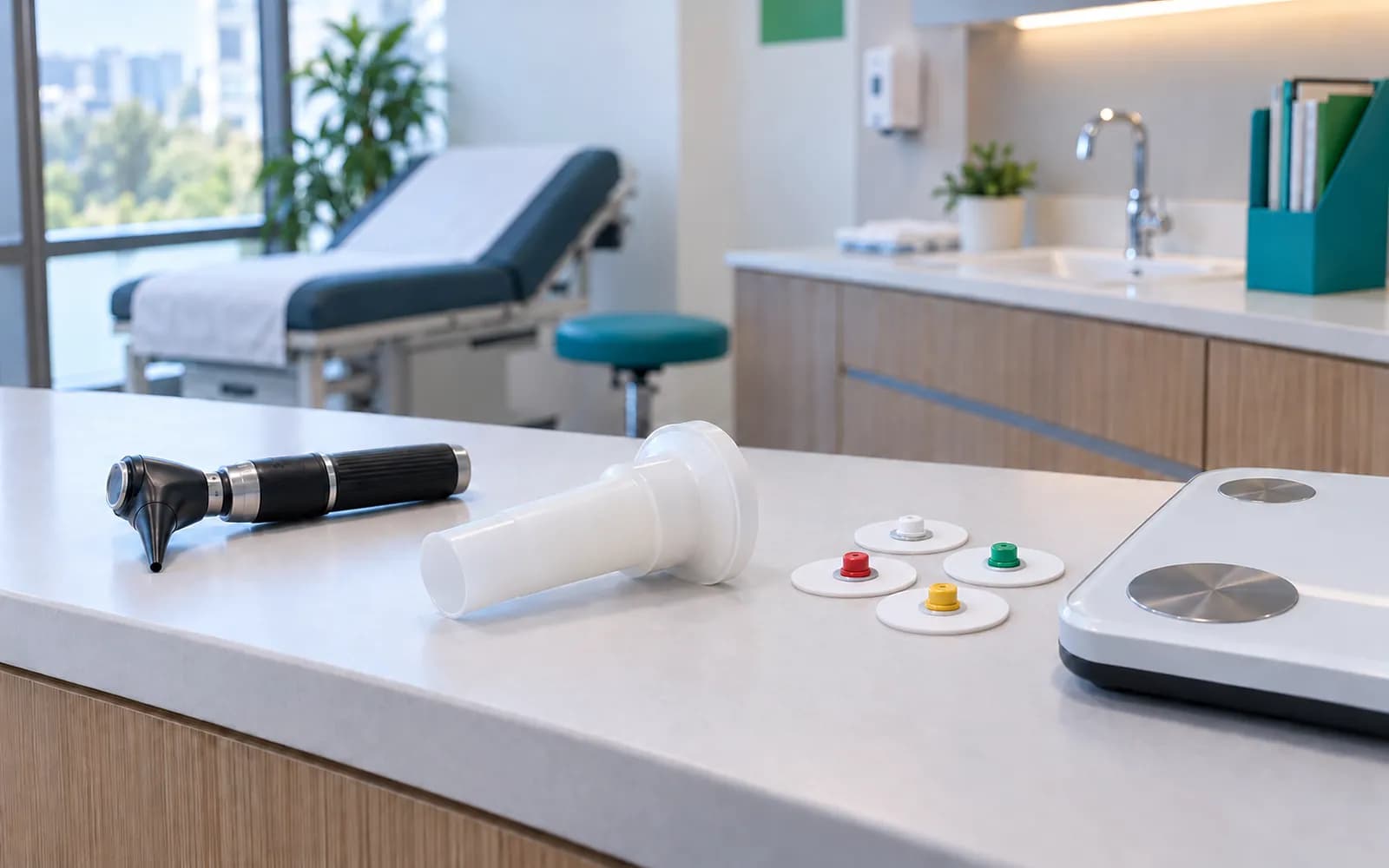
Device connection is the area where the phrase we support is easiest to say and hardest to prove. Fill in this list before you buy.
- Device detailsAre the manufacturer, model and software version of your device listed in writing?
- ProtocolIs the connection protocol, meaning DICOM, HL7, file or serial, stated?
- InstallationWho sets up the connection, is extra hardware needed, and what does installation cost?
- OutageIf the internet drops, is the device data lost or queued?
- Unmatched dataWhat happens to data whose patient does not match; does it go to human review?
- LabelingIf a file from a device that is not on the list can be taken in, how is it labeled?
- ViewerFor what purpose can the viewer be used, and what is needed for primary diagnostic interpretation?
In HekimBis the phrase supported is used only for devices verified at manufacturer, model, protocol and version level; the list is published from settings. A file taken from an unverified device is labeled as manual import on every screen. The bridge runs on the local network, stores data in an encrypted queue if the internet drops, and sends it without creating copies when the connection returns. The viewer is for clinical and reference purposes; an approved diagnostic viewer and PACS are used for primary diagnostic interpretation. See Device connections and Imaging and PACS.
Total cost of ownership
Price alone is misleading. For a three-year view, write down these items for each approach; even a question of present, absent or who owns it shows the difference without numbers.
- License or subscription
- Fixed or by use, and how many users and how much capacity are included?
- Hardware and maintenance
- A server computer, a backup disk, cabling and replacement.
- Security and backup
- Whose job is it, how often, and is it tested?
- Support and training
- Is it paid, in which hours, and how do new staff learn?
- Regulatory adaptation
- When national submission services change, who updates, and is a fee passed on?
- Migration and exit
- Is there a charge for the first data transfer and for data handover when you leave?
- Revenue effect
- Items such as a reminder against no-shows, a waiting list that fills a freed slot, and a missed call that turns into a lead are direct revenue and are usually not written into the table.
- Management time
- The effort spent on evening clean-up, double entry and copying.
In HekimBis the cost structure is a subscription, metered use (messages, AI, storage, video) and clearly priced added capacity; security, backup, the audit trail, secure export and mandatory national reporting are the same in every package. Current scope and prices are on the Pricing page, where how patient tracking software prices are set is also explained.
Frequently asked questions
Can patient tracking be done with Excel?
It can for one physician and few patients. But signed-record integrity, role-based access, an audit trail, backup, reminders and KVKK flows cannot be provided by a spreadsheet; as the team and patient count grow, the risks and the cost of double entry rise quickly. See the Data migration page for moving.
Which patient tracking program is more suitable?
It depends on your clinic's size, specialty, devices, the national reporting you fall under and your growth plan. There is no single right program; make your own ranking with the 24 criteria above and the specialty and device tests.
Why are there no vendor names in the table?
We base the comparison on approaches and criteria, not brands, because products change constantly and what matters to you is being able to ask every product the same questions.
Which facilities is HekimBis suited to?
Practices, clinics, polyclinics, medical centers and small diagnostic centers that provide outpatient care; it scales on the same data model from one physician to a multi-branch structure.
How do I use the comparison for my own clinic?
First set the order of importance, then have each candidate product fill in the table in writing and test the same questions live in a trial account. See Software vendors for physicians for what to ask a vendor.
Is moving from a desktop program hard?
The source file first passes through a field-mapping preview, a trial import is run, and the transfer is reconciled with counts, totals and a sample. You do not have to close the old program at once.
Related pages
Features
Specialties
Solutions and process
Software guides